Tutorial 3 · A Codex session
Goal: run the Codex CLI the way you would locally — in a project, in your terminal — but inside a pausable Barista session. Same flow as Claude Code, different tool and key.
Prereq: the one-time setup,
plus your OPENAI_API_KEY exported locally.
Step 1 — create the session
barista create codex --image node:20-slim -- sh -c '
  apt-get update && apt-get install -y ca-certificates &&
  npm install -g @openai/codex &&
  mkdir -p /work && cd /work &&
  printf "def add(a,b):\n    return a+b\n" > calc.py &&
  sleep infinity'
# {"name": "codex", "status": "pending"}
(Unlike Claude Code — where Node bundles its own CA roots — the Codex CLI is a
Rust binary that uses the system trust store, and node:20-slim ships without
ca-certificates; skip it and every API call fails with
invalid peer certificate: UnknownIssuer.)
Wait for running + install (~1–2 min), then confirm:
Step 2 — log the session's Codex in
Recent Codex CLI versions don't read OPENAI_API_KEY from the environment —
you log in once and it persists in the session (and survives pause/resume):
export OPENAI_API_KEY=…
barista exec codex --env OPENAI_API_KEY -- \
  sh -c 'printf "%s" "$OPENAI_API_KEY" | codex login --with-api-key'
# Successfully logged in
--env OPENAI_API_KEY (bare) forwards your local value for just this exec;
the key never appears on the command line.
Step 3 — attach straight into Codex
Open Codex in the project:
You're in interactive Codex, in /work, on a real PTY. Exit to detach; the
session keeps running.
Headless mode
Non-interactive, for scripting/CI:
barista exec codex --workdir /work -- \
  codex exec --skip-git-repo-check --dangerously-bypass-approvals-and-sandbox \
  "write tests for calc.py and run them"
Codex's own bubblewrap sandbox can't create namespaces inside the microVM — and doesn't need to: the session is the sandbox (hardware-isolated KVM), so bypassing the inner one is the intended setup here.
Step 4 — pause and resume
barista pause codex        # {"name":"codex","status":"paused"} — clock stops
barista resume codex       # {"name":"codex","status":"running"}
barista attach codex --workdir /work -- codex
On the KVM node the paused VM holds the filesystem and process memory across the
freeze, so you pick up where you left off; codex resume also lists prior
sessions to reopen (headless: codex exec resume --last "…").
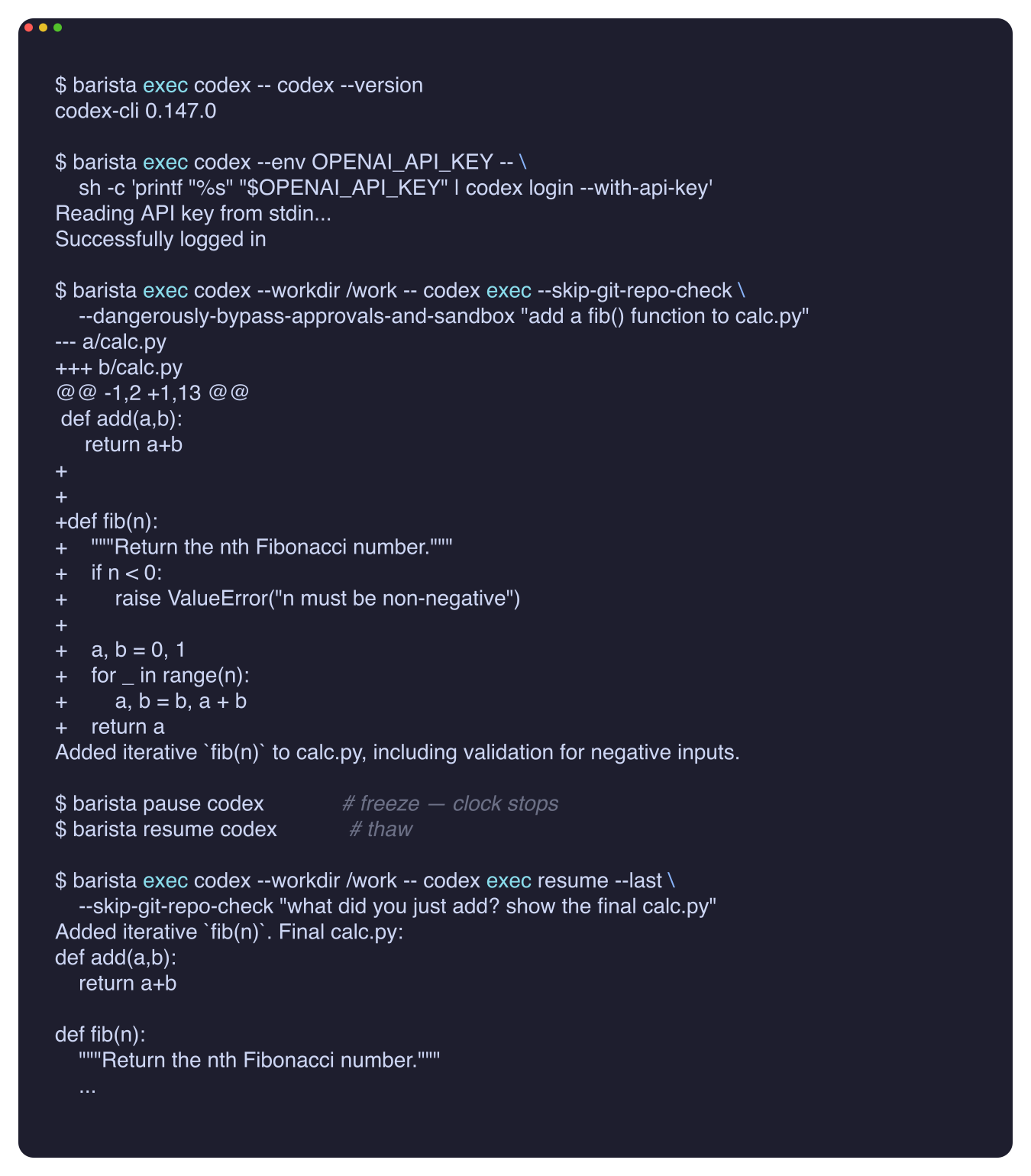
A live run of the whole flow — version check, login, a fib() task, freeze,
thaw, and codex exec resume --last continuing the same conversation:
Passing the key cleanly
--env OPENAI_API_KEY forwards it per-attach/exec, keeping it out of the session's
stored desired-state. For shared keys, prefer the control plane's secrets store.
Clean up
For a pinned image with both CLIs baked in, the same
../../demos/claude-code/Dockerfile also
installs @openai/codex. Next: drive sessions from an MCP client.